Constructi by FlowCraft
AI-driven 3D automation for construction. From building plan to quotation and customer portal, with no manual work in between.
01
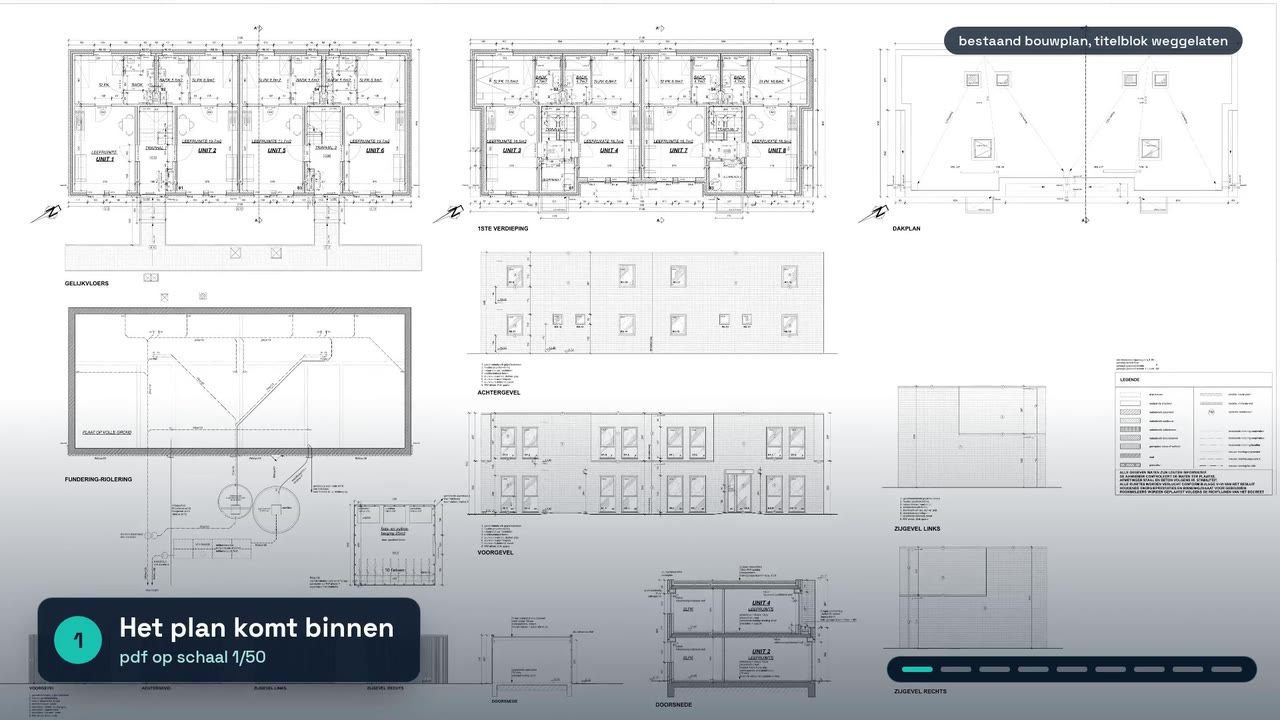
You upload the building plans
A roofer, a basement builder or another contractor uploads the plans of a house or building.
From the construction demo
02
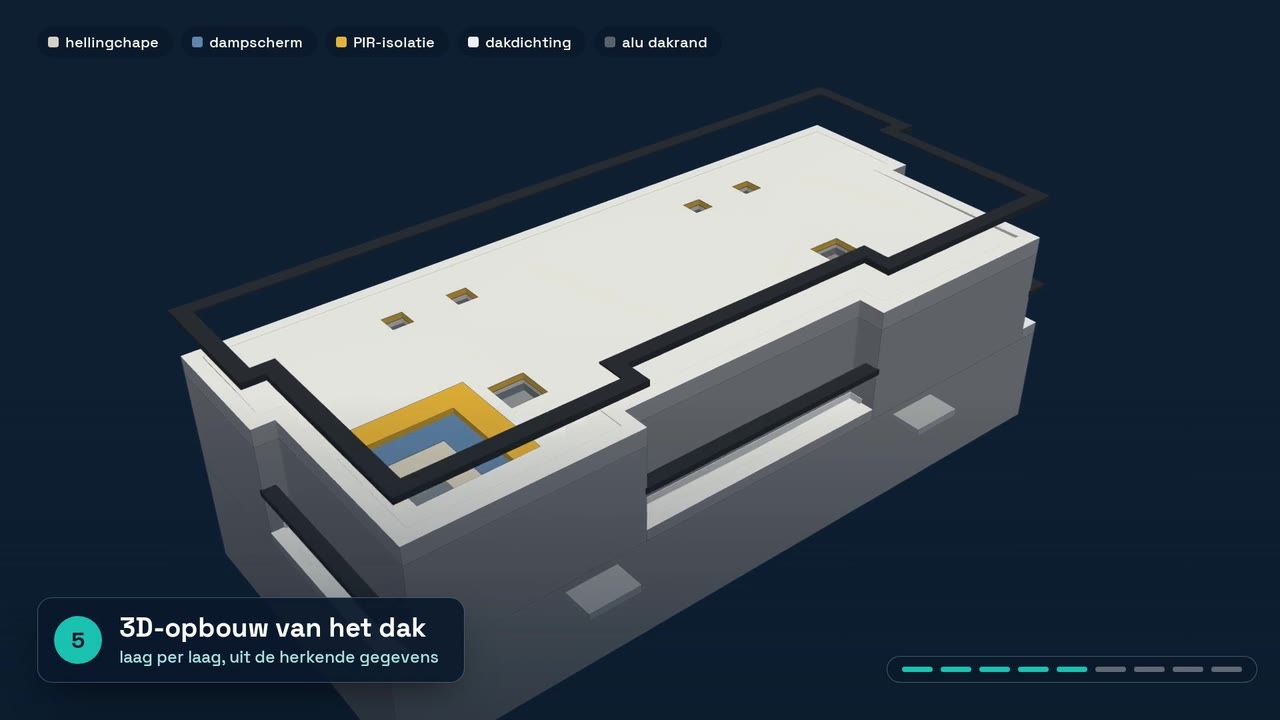
A 3D model with every element
The plans become a highly detailed 3D model, from roof windows to gutters.
From the roofing demo
03
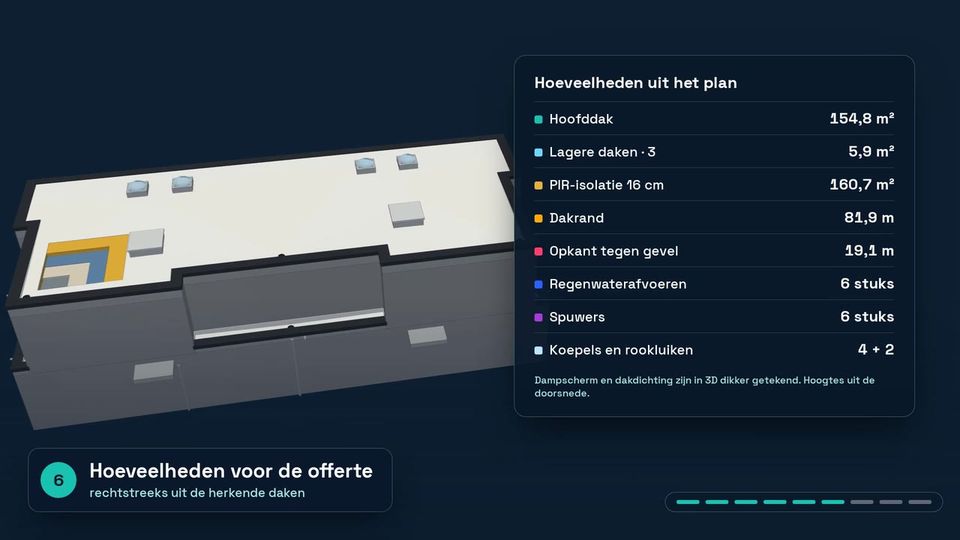
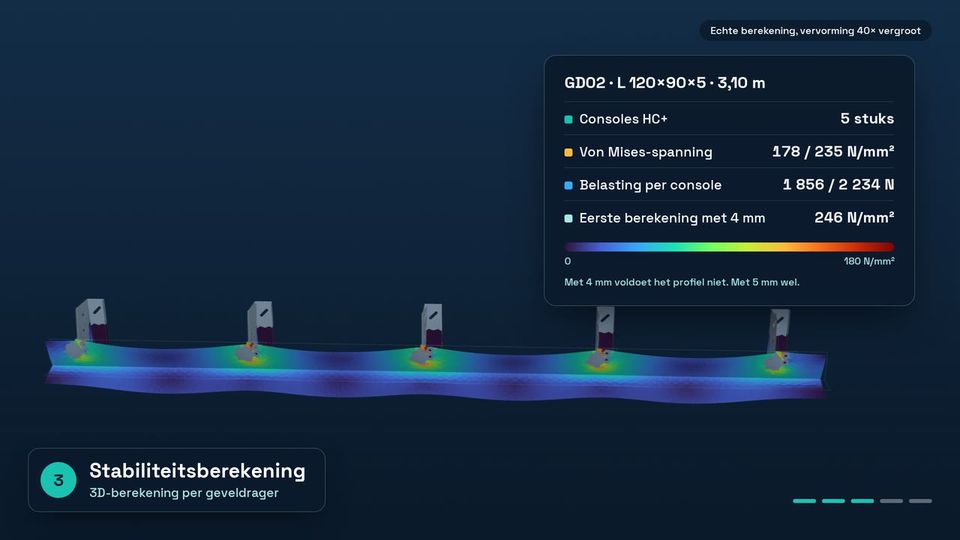
Quantities and calculations
The model yields the quantities and the technical calculations, such as the number of roof tiles, the width of the facade supports and the amount of roofing. Where needed, a stability study follows.
From the roofing and facade-support demos
04
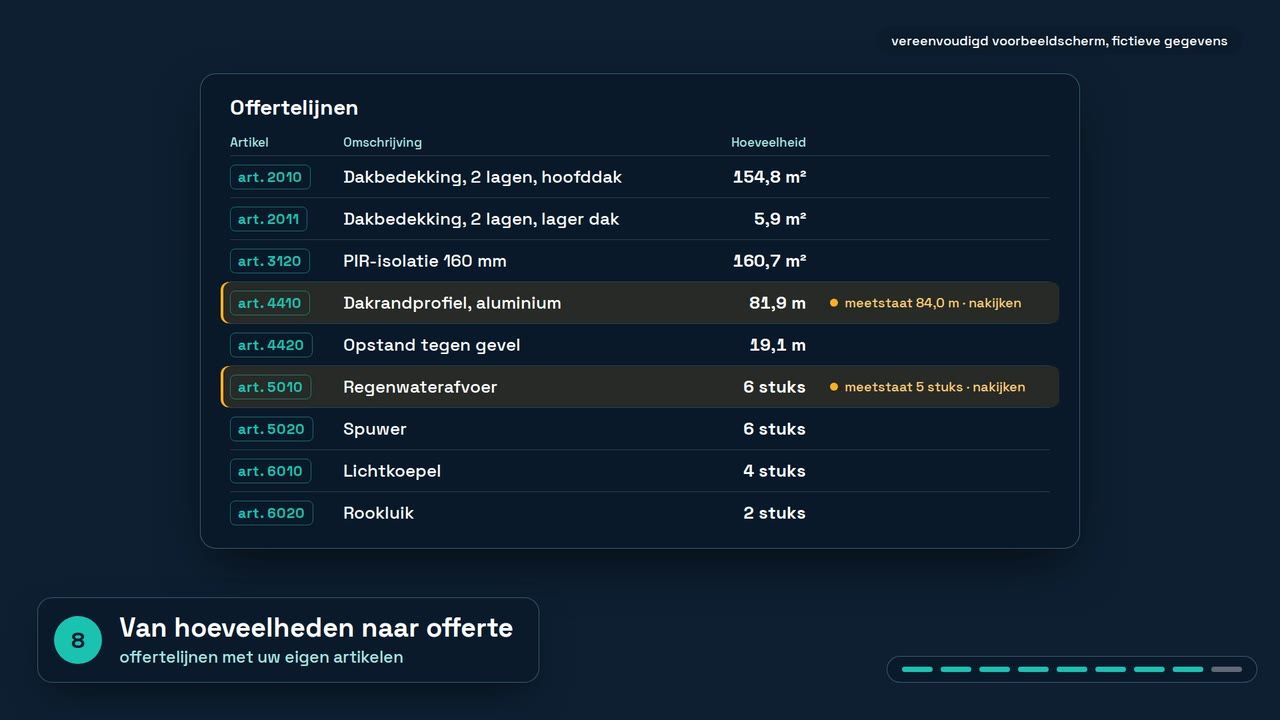
A quotation with prices
From those calculations, Constructi drafts a quotation with prices automatically.
Quotation from the roofing demo
05
Your client gets a portal
The end client receives a link to a portal with the 3D drawings, the calculations and the prices.
Concept illustration
What changes for the contractor
Most of the technical draughtsman's work is no longer needed, and the calculations and the quotation run automatically too, from building plan to customer portal. Your people review and decide.
Four construction demos, one trade each
Demo
Facade supports
From plans to calculations and quotations.
Demo
Reinforcement
The plan yields PXML and aSa production files.
Demo
Basements
From plans to a 3D model and quantities.
Demo
Roofing
Roof model, quantities and quotation from one building plan.
A one-time setup, then usage in credits
The setup builds the product on your own rules and documents. After that you pay only for what you actually use.